

Buying a home is about much more than the number of bedrooms, square footage, and updated kitchen. While listing photos can showcase a property’s best features, they rarely tell the complete story about what surrounds the home. Google Maps can give prospective home buyers a valuable look at the neighborhood before they commit to a purchase. By exploring roads, businesses, parks, schools, traffic patterns, and nearby properties, buyers can uncover details that may not be obvious during a quick showing. Using Google Maps as part of your home-buying research can help you make a more informed decision and avoid unpleasant surprises after moving in.
Check the Neighborhood Before Scheduling a Showing
One of the easiest ways to use Google Maps when buying a home is to explore the surrounding neighborhood before scheduling a showing. Look at the streets surrounding the property and determine whether the area appears primarily residential or includes busy commercial corridors. Pay attention to major roads, intersections, apartment communities, shopping centers, industrial properties, and other land uses nearby. A home that appears peaceful in listing photos could be located close to a heavily traveled road or busy commercial area. Spending a few minutes exploring the map can help buyers decide whether a property deserves a closer look.
Look for Nearby Businesses and Commercial Properties
Google Maps can reveal businesses and commercial properties that may not receive much attention in a traditional real estate listing. Restaurants, grocery stores, shopping centers, gas stations, bars, warehouses, auto repair shops, and other businesses can all affect the character of a neighborhood. Some nearby businesses may be convenient and increase a property’s appeal, while others could create additional traffic, noise, odors, or late-night activity. Buyers should also investigate vacant commercial properties because future redevelopment could change the surrounding area. Understanding what businesses are nearby helps buyers evaluate both convenience and potential drawbacks.
Identify Nearby Roads and Traffic Patterns
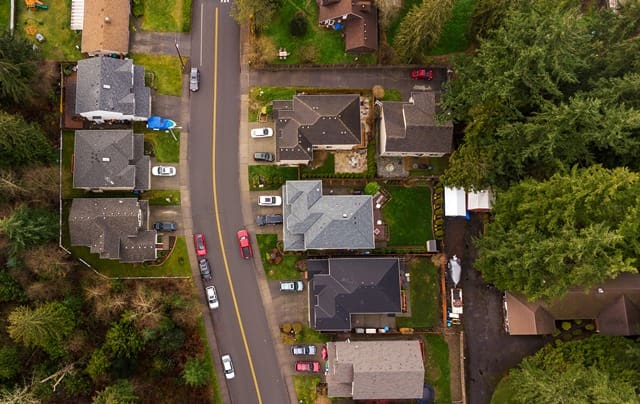
Traffic can have a significant impact on the daily experience of living in a home. Google Maps can help buyers identify major highways, busy streets, intersections, and alternative routes near a property. Buyers should consider whether morning and afternoon traffic could make commuting more difficult than expected. A property that looks conveniently located may become less appealing if leaving the neighborhood during rush hour regularly takes much longer than anticipated. Checking driving routes and estimated travel times at different times of day can provide useful information before making an offer.
Explore Parks, Trails, and Outdoor Amenities
Access to parks, walking trails, recreational facilities, and green spaces can be an important factor when buying a home. Google Maps makes it relatively easy to identify these amenities and estimate how far they are from the property. Buyers can look for neighborhood parks, playgrounds, sports fields, nature preserves, greenways, and public recreation areas. Nearby outdoor amenities may provide opportunities for exercise, recreation, and family activities while also contributing to the overall appeal of an area. However, buyers should also consider whether a park or recreation facility could create additional traffic, parking demand, or noise during busy periods.
Investigate Schools and Important Destinations
Google Maps can help buyers understand the property’s proximity to schools, medical facilities, grocery stores, workplaces, shopping areas, and other destinations that matter to their lifestyle. Instead of simply asking whether a destination is “nearby,” buyers can examine actual driving, walking, biking, or transit routes. This can provide a better understanding of how convenient the location will be on an ordinary weekday. Buyers should remember that map distance does not necessarily equal travel time, particularly in areas with significant traffic. School boundaries, enrollment policies, ratings, and other education-related information should also be verified through official sources rather than relying solely on map data.
Use Street View to Examine the Surroundings
Street View can provide an especially useful perspective because it allows buyers to virtually explore roads and nearby properties. Looking down the street can reveal sidewalks, street parking, landscaping, utility infrastructure, commercial buildings, road conditions, and the general character of surrounding properties. Buyers may also notice features that are difficult to see from the listing’s professional photography. Keep in mind that Street View images may not be current, so they should be treated as a helpful reference rather than a definitive snapshot of today’s conditions. When something looks concerning or particularly appealing, buyers should investigate it in person during a property visit.
Examine the Commute From the Property

A beautiful home can become less attractive if the daily commute is exhausting. Google Maps can help buyers estimate travel times to work, schools, family members, frequently visited businesses, airports, and other important destinations. Rather than relying on a simple mileage calculation, buyers should examine realistic routes and consider how traffic could affect travel time. It can also be helpful to compare several properties using the same commute destinations. This allows buyers to evaluate location based on their actual routines instead of simply judging how attractive the house itself may be.
Pay Attention to Noise and Potential Disturbances
Noise is one of the most overlooked factors when evaluating a home, yet it can have a major effect on everyday comfort. Google Maps can help buyers identify potential sources of noise such as highways, airports, railroad tracks, entertainment venues, stadiums, schools, busy restaurants, and industrial properties. Map data cannot tell you exactly how loud a location will be, but it can point you toward areas that deserve closer investigation. Buyers should consider visiting the property during different times of day and, when possible, on both weekdays and weekends. A quiet afternoon showing does not necessarily represent the neighborhood during rush hour or a busy Saturday night.
Look for Potential Future Changes
Google Maps provides a current view of an area, but buyers should also think about how the neighborhood could change. New construction, road expansions, redevelopment projects, rezoning, and planned commercial developments may alter traffic and property conditions in the future. Map research can help identify vacant lots, undeveloped land, aging commercial properties, and large parcels that could potentially be redeveloped. However, buyers should verify future development plans with the appropriate city or county planning departments. Understanding both current conditions and potential changes can help buyers make a more informed long-term investment decision.
Understand the Property’s Location in Context
A home should never be evaluated completely on its own because surrounding properties and infrastructure can influence both lifestyle and resale value. Google Maps allows buyers to zoom out and see how the property fits into the larger community. Buyers can compare nearby neighborhoods, major transportation routes, commercial districts, schools, parks, and employment centers. This broader perspective can reveal whether a property is conveniently positioned or relatively isolated from the places that matter most. Taking time to understand the property’s location in context can prevent buyers from becoming overly focused on the house itself.
Why Hiring a Real Estate Agent Matters

Google Maps is a powerful research tool, but it should complement rather than replace professional real estate guidance. An experienced real estate agent can help buyers interpret neighborhood conditions, identify relevant local considerations, evaluate comparable properties, and understand factors that will not appear on a map. Agents will know about local developments, market trends, resale value, property-specific concerns, and neighborhood characteristics that require firsthand knowledge. They can help buyers turn online research into practical questions to ask during showings, inspections, and negotiations. Once you’ve narrowed down your preferred neighborhoods, a professional real estate agent can help you identify and find the home that best matches your needs, lifestyle, and budget. Combining Google Maps research with the expertise of a qualified real estate agent will give buyers a more complete picture before purchasing a home.
Use Google Maps as Part of Your Home-Buying Checklist
The best approach is to make Google Maps one component of a larger home-buying research process. Before making an offer, buyers should examine nearby roads, traffic, businesses, parks, schools, transportation options, potential noise sources, and commute routes. They should then verify important information through property records, local government resources, inspections, and conversations with knowledgeable professionals. Visiting the property at different times can also reveal conditions that online research cannot capture. By combining digital research with firsthand observation and professional advice, buyers can reduce surprises and make more confident decisions.
Conclusion: Explore the Address Before You Buy
Buying a home is a major financial decision, so doing additional research before making an offer can be extremely valuable. Google Maps gives buyers a convenient way to explore the neighborhood, examine nearby amenities, evaluate transportation routes, and identify potential concerns before they become costly surprises. The tool cannot replace an in-person visit, professional inspection, or expert real estate advice, but it can help buyers ask better questions and narrow their choices. A few minutes of map research could reveal important details that are easy to overlook when concentrating on the home’s interior. Before falling in love with a property, take a virtual trip around the neighborhood and make sure the location fits the life you plan to live there.
#GoogleMaps #HomeBuying #HomeBuyers #RealEstateTips #BuyingAHome #HomeSearch #NeighborhoodResearch #RealEstate #HouseHunting #HomeBuyingTips

For a copy of our home buying process, please fill out the form on this page. The guide will be emailed immediately.
If you are looking for assistance in the metro Atlanta area, please reach out to us. We would love the opportunity to help you with your home purchase or sale.
If you are in another part of the country, we may be able to refer you to an agent in your market.
